Dashboard
The dashboard is the first page that you see after being logged in. It contains an overview of all logbooks that you have access to.
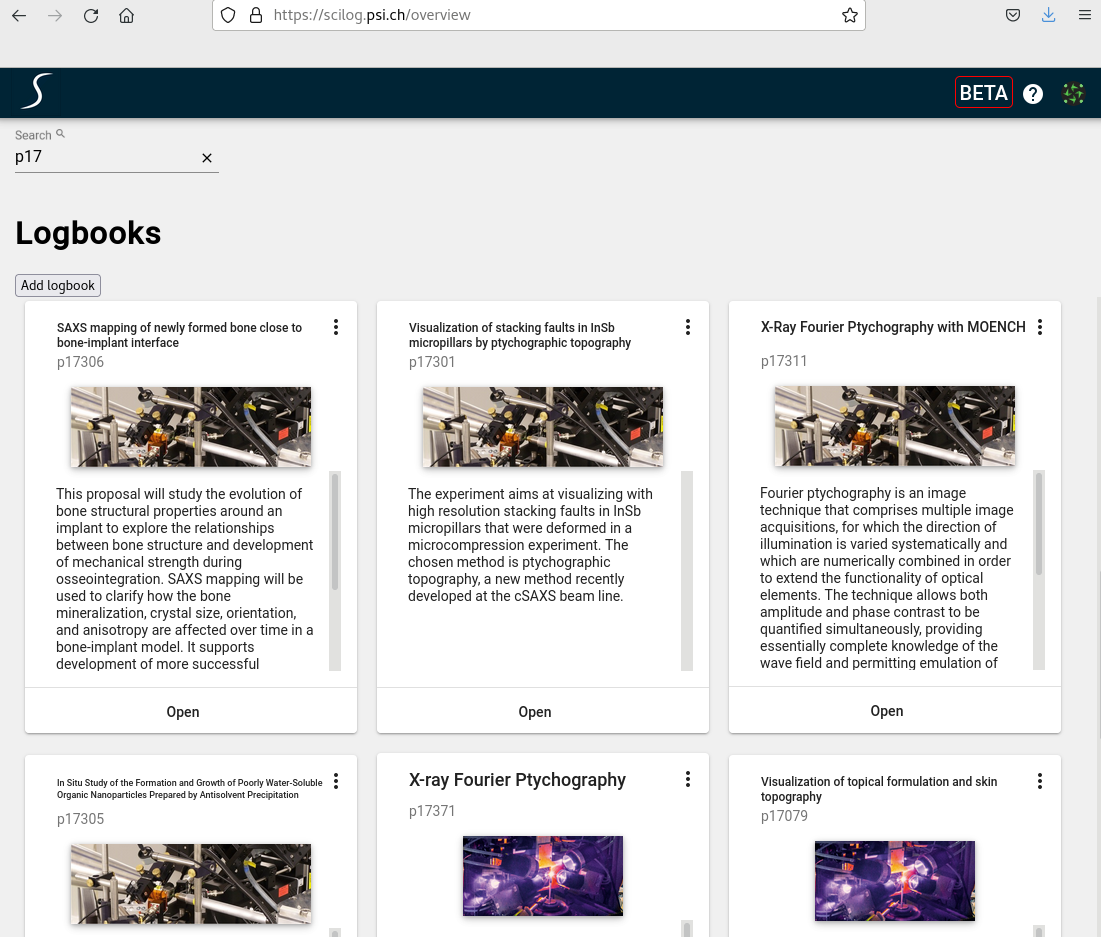
Searching
You can search among the logbooks based on the ownerGroup or the text content of the abstracts
View Details
To navigate to a specific logbook just click on the image or the open button of the corresponding logbook card.
Adding a logbook
Use the Add logbook control at the top of the dashboard:
- New logbook creates an empty logbook, where you enter the title, location, owner group, and so on.
- Import from .eln creates a logbook from a previously exported
.elnarchive.
Importing from an .eln archive
Select Add logbook ▾ → Import from .eln, then in the dialog:
- Choose the
.elnfile — drag it onto the drop area, or click to browse. - Select the target location (beamline or instrument).
- Click Import.
On success you are taken straight to the newly created logbook. Only .eln archives previously exported by SciLog are accepted (up to 100 MB); if an archive cannot be imported, the dialog lists the reasons so you can correct it.